
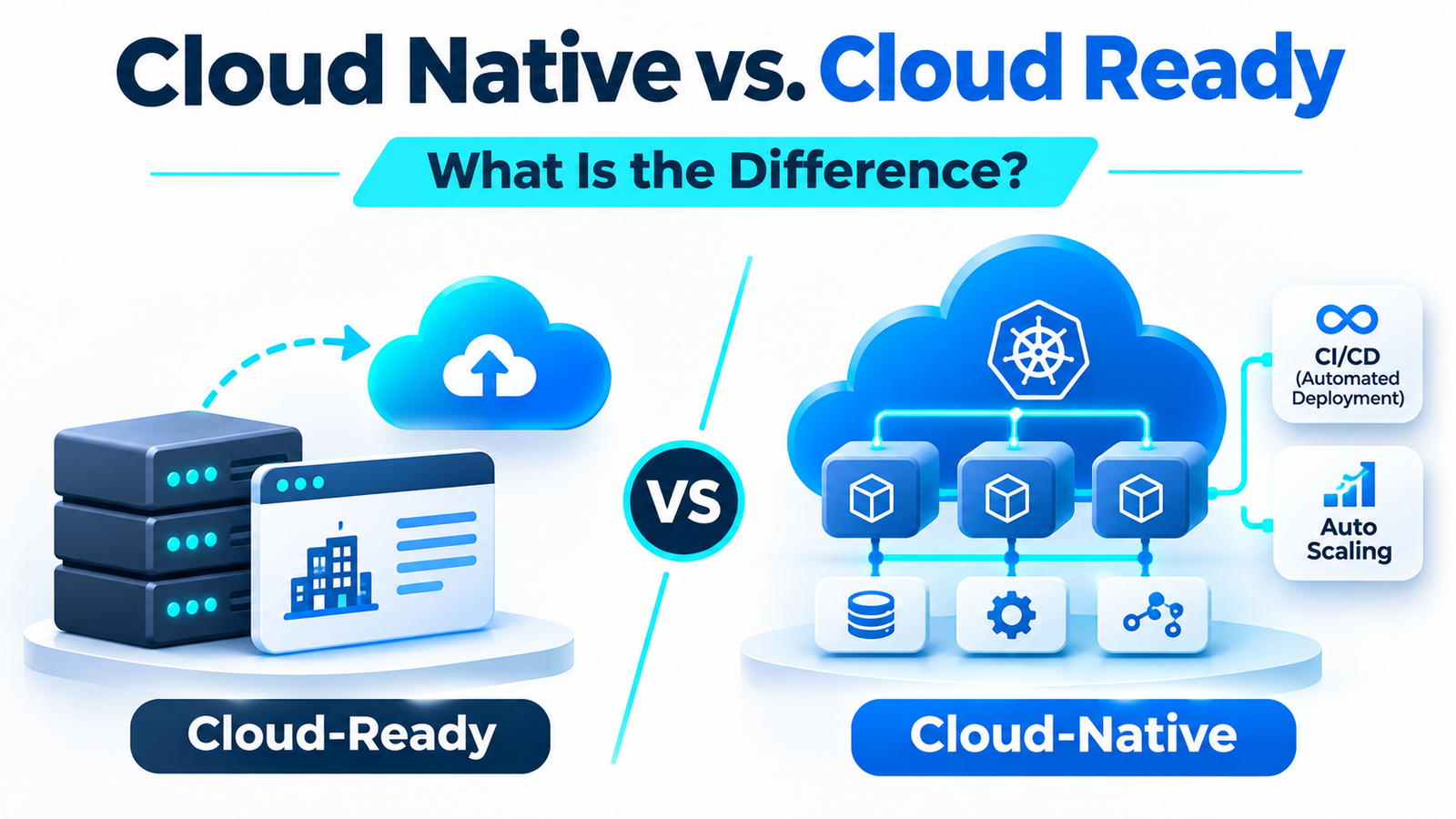
Cloud native vs cloud ready describes two different approaches to running applications in the cloud.
A cloud-ready application can run in a cloud environment, often after compatibility checks and limited changes. A cloud-native application uses architecture and development practices designed to take advantage of cloud capabilities such as scalable infrastructure, automated deployment, and resilient services.
The main difference is that cloud-ready focuses on whether an application can run in the cloud, while cloud-native focuses on how the application is designed and operated.
Both approaches can be useful. The right choice depends on your existing software, technical needs, budget, and long-term plans.
This guide explains the differences, shows practical examples, and helps you decide which approach fits your business.
What Does Cloud-Ready Mean?
A cloud-ready application is software that can operate in a cloud environment, either in its existing form or after suitable changes.
The term is often used when a company wants to move an application from its own servers to a public or private cloud.
Cloud readiness may involve checking:
- Compatibility: Can the software run on the chosen cloud infrastructure?
- Dependencies: Does it rely on other applications, databases, or local services?
- Configuration: Can settings be adjusted for the new environment?
- Security: Can access, network connections, and sensitive data be protected?
- Performance: Will the application work under expected demand?
- Recovery: Can the business back up and restore the application?
For example, a company may have an accounting application running on a local server.
After checking its dependencies, supported operating system, network access, and security requirements, the company might move it to a cloud virtual machine.
The software could remain largely unchanged.
This is one possible cloud-ready approach.
Important: Cloud-ready is not a single, universally defined architecture standard. Software vendors may use the term differently. Always check what a product’s cloud-ready claim actually includes.
What Is Cloud-Native?
A cloud-native application uses architecture and operating practices intended to benefit from modern cloud environments.
Rather than simply moving an existing server-based application, developers design or modernize software to support changing workloads, frequent updates, automated operations, and resilience.
Cloud-native practices commonly include:
Automated Deployment
Development teams use automated processes to test and release software changes.
This may involve CI/CD, which stands for continuous integration and continuous delivery or deployment.
CI/CD helps teams build, test, and deliver changes more consistently.
Scalable Infrastructure
Applications may be designed to increase or decrease their use of computing resources as demand changes.
However, scaling requires suitable application design, configuration, and monitoring. It does not happen automatically in every cloud-native system.
Resilient Services
Cloud-native designs aim to handle failures without allowing one problem to disrupt the entire application unnecessarily.
This can involve health checks, redundancy, recovery procedures, and suitable service boundaries.
Cloud-Oriented Technologies
Teams may use containers, managed services, serverless computing, or microservices.
A container packages an application with the software components it needs to run consistently.
A microservice is a smaller service responsible for a specific business capability.
Cloud-native does not mean that every application must use Kubernetes, microservices, or containers. The most suitable technologies depend on the workload and business requirements.
Cloud Native vs. Cloud Ready: Key Differences
Both approaches can run on cloud infrastructure, but they emphasize different goals.
| Feature | Cloud-Ready | Cloud-Native |
|---|---|---|
| Primary focus | Cloud compatibility and deployment | Cloud-oriented architecture and operations |
| Starting point | Often an existing application | New or modernized application |
| Architecture | May retain its existing design | Uses suitable modern design practices |
| Migration effort | Often lower when few changes are needed | Can require substantial development work |
| Scalability | Depends on existing architecture and setup | Designed to support workload-specific scaling |
| Deployment | May retain traditional release processes | Often uses automated delivery pipelines |
| Resilience | Depends on the application and infrastructure | Designed with recovery and failure handling in mind |
| Common approach | Rehost or replatform | Refactor, rearchitect, or build using cloud-native practices |
| Best suited for | Stable applications needing a cloud move | Applications needing greater architectural flexibility |
These are common differences, not strict rules.
A cloud-ready application may already have modern features. Likewise, an existing application can become cloud-native through gradual modernization.
Cloud-Hosted vs. Cloud-Ready vs. Cloud-Native
These three terms are related but not identical.
- Cloud-hosted: The application runs on cloud infrastructure.
- Cloud-ready: The application is suitable for deployment in a cloud environment.
- Cloud-native: The application uses practices and architecture designed to take advantage of cloud capabilities.
For example, moving an unchanged application to a cloud virtual machine makes it cloud-hosted.
That move does not automatically make its architecture cloud-native.
Real-World Example: Cloud-Ready vs. Cloud-Native Applications
Imagine a distribution company with an older order management application.

The system handles customer orders, inventory records, and shipping information.
It currently runs on a company-managed server.
Management wants to move the application to the cloud.
Option 1: Make the Application Cloud-Ready
The IT team reviews the software and finds that it can run on a supported cloud virtual machine.
They check database connections, security settings, storage requirements, and backup procedures.
After testing, the company moves the application to cloud infrastructure.
The application still uses its original architecture.
Potential advantages:
- Less application redesign.
- Familiar behavior for existing users.
- A possible faster route to cloud hosting.
- Lower initial development effort when compatibility is straightforward.
Potential limitations:
- Existing architectural problems may remain.
- Scaling may still require manual work.
- The application may not fully use managed cloud services.
Option 2: Modernize Using Cloud-Native Practices
The company instead identifies parts of the application that would benefit from architectural changes.
For example, order processing and reporting may have different workload needs.
The team could separate selected functions, introduce managed services, automate deployments, and improve monitoring.
They might also use an event-driven design to update other systems when an order changes.
Potential advantages:
- More flexibility for future changes.
- Better opportunities for targeted scaling.
- Reduced manual deployment work.
- Potentially stronger fault isolation.
Potential limitations:
- More design and engineering effort.
- Greater operational complexity if too many services are introduced.
- Additional training and testing requirements.
- Higher implementation costs in some situations.
This is an illustrative comparison, not a measured business case.
The lesson: Cloud-native modernization may offer more architectural flexibility, but a simpler cloud-ready approach can be the better decision when an existing application already meets business needs.
Rehost vs. Replatform vs. Refactor: Cloud Migration Options
Before choosing an approach, it helps to understand three common migration strategies.
1. Rehost: Move With Minimal Changes
Rehosting is often called lift and shift.
The application moves to a cloud environment while much of its original design remains unchanged.
Example: Moving an application from an on-premises virtual machine to a compatible cloud virtual machine.
Rehosting can be useful for stable applications that do not need immediate modernization.
It does not automatically fix slow code, outdated design, or other existing problems.
2. Replatform: Make Limited Improvements
Replatforming moves an application while changing selected parts of its operating environment.
The goal is to gain useful cloud benefits without a complete redesign.
Example: Moving a database to a compatible managed database service while keeping most application behavior unchanged.
Replatforming may reduce some infrastructure management work.
However, migration testing and compatibility checks remain important.
3. Refactor or Rearchitect: Change the Application
Refactoring changes application code to improve its structure or suitability for the cloud.
Rearchitecting makes larger changes to how application components are organized and communicate.
Example: Redesigning an older application so selected functions can scale independently.
These approaches may support cloud-native capabilities, but they require stronger business justification and more engineering effort.
Migration frameworks also include options such as retaining an application, replacing it with software as a service, or retiring it.
Not every application needs to move.
Can a Cloud-Ready Application Become Cloud-Native?
Yes. An existing application can be modernized gradually.
A company does not always need to rebuild its software from the beginning.
One practical path looks like this:
Step 1: Assess the Existing Application
Review the architecture, dependencies, performance, security, maintenance problems, and business requirements.
Identify which issues actually need to be solved.
Step 2: Prepare for Cloud Deployment
Address compatibility problems, configuration requirements, access controls, backups, and recovery procedures.
Test the application before moving production workloads.
Step 3: Migrate or Replatform Where Appropriate
Move the application using a strategy that matches its current condition and business needs.
Avoid large architectural changes without a clear reason.
Step 4: Modernize Selected Components
Identify areas where modern design would create useful benefits.
For example, a heavily used reporting function might benefit from separate processing or a managed service.
Step 5: Improve Delivery and Monitoring
Introduce suitable automated tests, deployment pipelines, logging, alerts, and recovery checks.
These changes can improve operations even when the application remains a monolith.
A gradual approach allows teams to modernize where there is a real benefit instead of treating a complete rewrite as the only option.
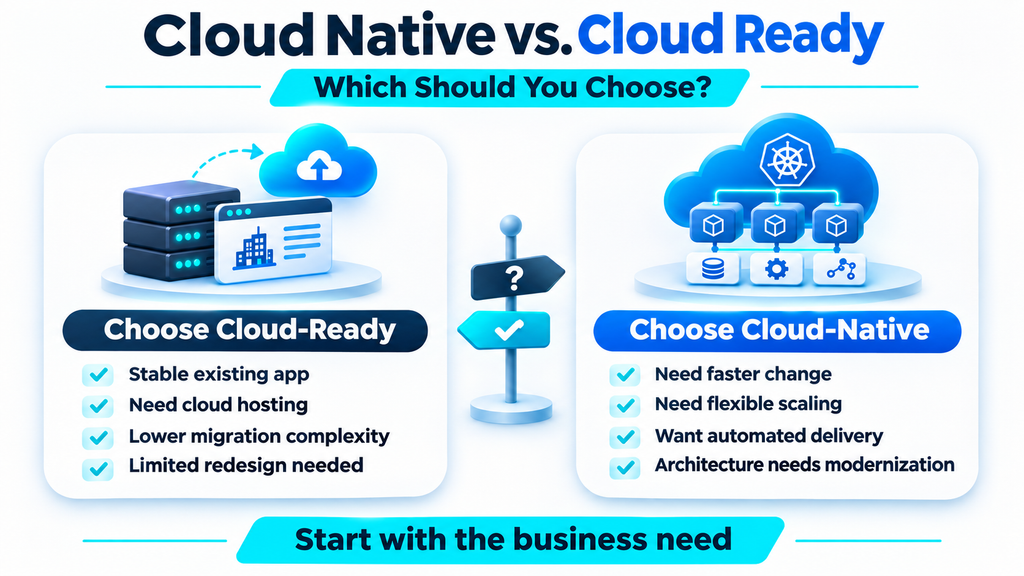
Cloud Native vs. Cloud Ready: Which Should You Choose?
The answer depends on what your application needs to achieve.

Choose a Cloud-Ready Approach When…
A cloud-ready migration may be appropriate if:
- The existing application is stable and meets business requirements.
- Your main goal is moving away from company-managed infrastructure.
- The software can operate in the target cloud with limited changes.
- A full redesign would offer little near-term benefit.
- Your team needs a manageable migration with controlled disruption.
For example, an internal reporting system with predictable usage may not justify a major architectural redesign.
Consider Cloud-Native Modernization When…
Cloud-native practices may be worth investing in if:
- Demand changes significantly throughout the day or year.
- The application needs frequent releases and feature changes.
- Existing architecture makes development slow or risky.
- Some parts need to scale independently.
- Better automated recovery and operational visibility are important.
- The business has the time and skills needed to maintain the new design.
For example, a growing customer-facing platform might benefit from modernizing components that regularly face heavy traffic.
Quick Decision Guide
| Your situation | Approach to evaluate |
|---|---|
| Stable legacy application needing cloud hosting | Rehost or limited replatforming |
| Existing software with manageable architecture issues | Replatform or targeted refactoring |
| Application requiring frequent changes and flexible scaling | Cloud-native modernization |
| Old system with high maintenance costs | Refactor, rearchitect, or replace |
| Application that no longer provides enough value | Retire |
| Application with unresolved compliance or dependency risks | Assess further; retain if necessary |
There is no universal winner.
The best approach delivers the required business results without adding unnecessary technical complexity.
Benefits and Risks to Consider Before Migration
Moving applications to the cloud changes how they are operated, monitored, and secured.
Whether you choose a cloud-ready or cloud-native approach, consider these factors.
Cost
Cloud infrastructure may reduce some hardware responsibilities, but spending depends on resource usage, licensing, storage, networking, monitoring, and technical support.
Cloud-native architecture can also introduce extra operational costs.
Compare total ownership and operating costs rather than assuming one approach will always be cheaper.
Security and Compliance
Review identity access, encryption, network configuration, data location, and industry requirements.
Cloud hosting does not remove the organization’s responsibility for securing its applications and data.
Reliability
Plan how the application should respond to failures.
Test backups, recovery procedures, dependency outages, and deployment rollback.
A cloud-native design is not automatically reliable without proper implementation.
Team Skills
Some cloud-native practices require experience with automation, infrastructure, distributed systems, and monitoring.
Choose an architecture your team can operate safely and maintain over time.
Vendor Dependence
Managed cloud services can simplify operations but may make future migrations more complex.
Consider portability when it is a genuine business requirement rather than assuming every application must support multiple cloud providers.
Common Cloud Migration Mistakes
Avoid these problems when planning a cloud migration or modernization project.
1. Treating cloud hosting as modernization. Moving an application to a cloud server does not automatically improve its architecture.
2. Rebuilding without a clear goal. A full rewrite can create unnecessary cost and risk.
3. Ignoring dependencies. Applications may rely on databases, internal networks, identity systems, or other services that must also be considered.
4. Skipping performance testing. The application may behave differently in a new environment.
5. Overlooking ongoing costs. Compute, storage, data transfers, observability, and support can affect the budget.
6. Forgetting operational readiness. Teams need clear ownership, alerts, backup procedures, and recovery plans before going live.
Start with the problem you need to solve, not the cloud technology you want to use.
Frequently Asked Questions
Is cloud-ready the same as cloud-native?
No. Cloud-ready generally describes an application’s ability to run in a cloud environment. Cloud-native describes architecture and practices intended to use cloud capabilities effectively.
Does cloud-native require Kubernetes?
No. Kubernetes is one tool for managing containerized applications, but cloud-native systems can use different technologies, including serverless computing and managed services.
Can a traditional application become cloud-native?
Yes. An existing application can be modernized through changes to its code, architecture, deployment process, and operations. A complete rewrite is not always necessary.
Is cloud-native more expensive than cloud-ready?
Not always. Cloud-native modernization may require more initial engineering work, but long-term costs depend on the workload, architecture, cloud services, and operating practices. Both approaches should be evaluated using a realistic cost model.
Final Thoughts
The difference between cloud native vs cloud ready comes down to application readiness and architectural design.
Cloud-ready focuses on running software in a cloud environment. Cloud-native focuses on building and operating applications using practices suited to modern cloud systems.
Neither approach is automatically better.
For stable applications, a carefully planned cloud migration may be enough. For systems that need greater flexibility, frequent updates, or architectural changes, cloud-native modernization may offer more value.
Evaluate the application’s real needs, select the least complex approach that meets them, and modernize further when the business case supports it.