
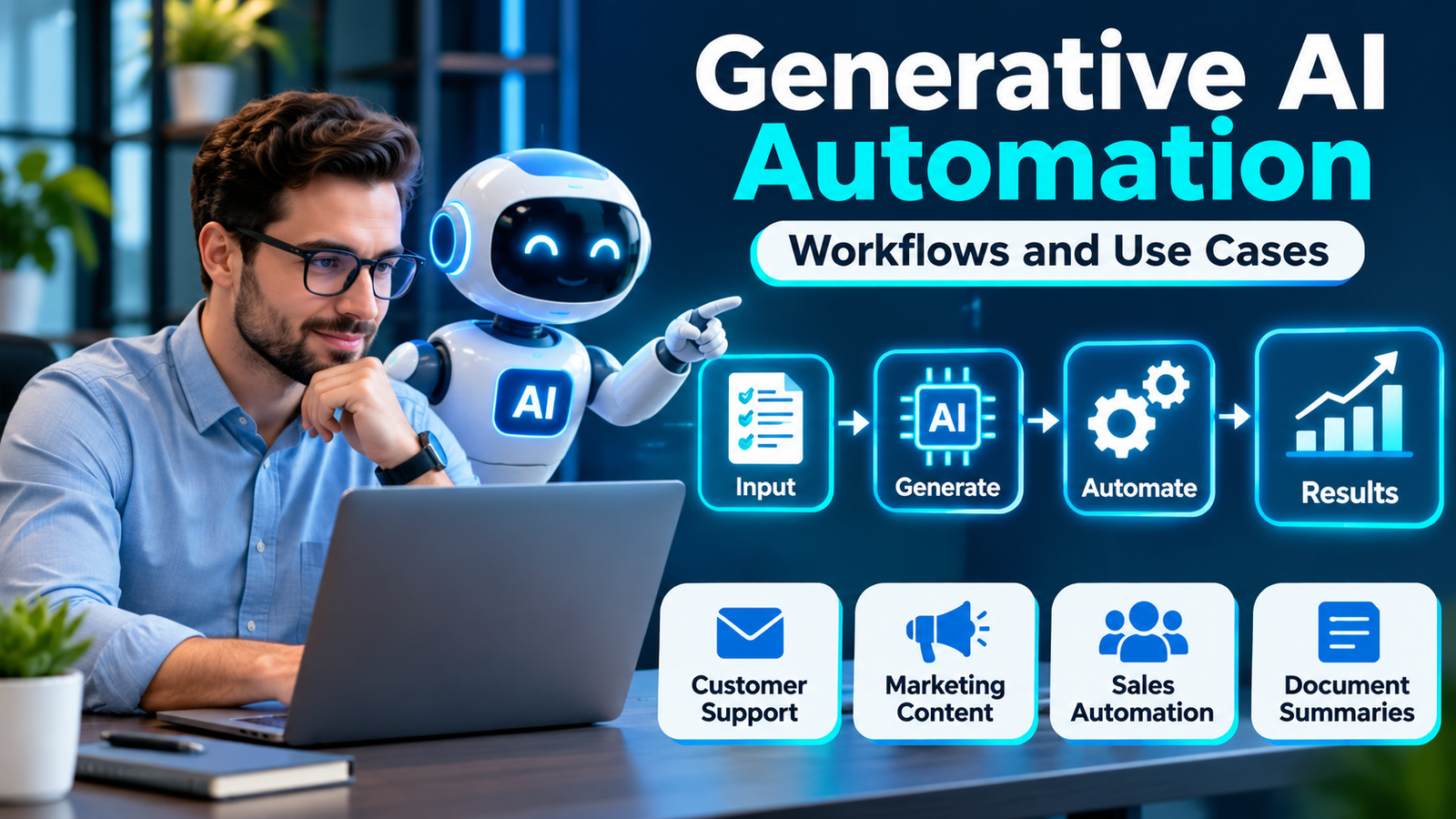
Generative AI automation helps businesses complete tasks such as writing emails, summarizing documents, preparing reports, and handling customer questions with less manual work.
Instead of only following fixed rules, generative AI can work with written information and create useful responses.
For example, an online store could use AI to read a customer message, find a relevant help article, and prepare a reply for an employee to approve.
But how does this work in a real business?
This guide explains generative AI workflows, seven practical use cases, and simple steps to start safely.
What Is Generative AI Automation?
Generative AI automation combines two technologies:
- Generative AI: Software that creates text, images, summaries, or other content based on instructions and information.
- Automation: Technology that moves tasks through a process with less manual effort.
Together, they can handle work that involves both repeated steps and written information.
For example, a business might receive dozens of customer emails each day.
A generative AI workflow could read each message, prepare a suggested response, and send the draft to an employee for review.
The employee can check the answer before it reaches the customer.
This helps reduce repeated writing while keeping people responsible for important decisions.
The key difference is that generative AI creates or interprets content, while automation moves work between steps and systems.
How Does Generative AI Automation Work?
A generative AI workflow links a trigger, business information, an AI model, and a useful action.
The exact steps depend on the business, but a basic workflow looks like this:
Trigger → Collect Data → AI Processing → Check Results → Take Action → Monitor
Here is what each step means.

1. A Trigger Starts the Workflow
A trigger is an event that starts an automated process.
It might be a new email, completed form, uploaded document, or scheduled time.
For example, a customer sending a support request can start an AI workflow.
2. The System Collects Information
The workflow gathers the information needed to complete the task.
This might include the customer’s question, an order number, or an approved help document.
The business should only share information that the AI system is allowed to use.
3. Generative AI Processes the Task
The AI model receives instructions, often called a prompt.
It might summarize a message, draft a reply, or organize information into a report.
4. The Result Is Checked
The workflow checks whether the output follows the required format or business rules.
An employee should review answers when errors could affect customers, money, privacy, or important decisions.
5. The Workflow Takes an Action
After any required approval, the system can save a draft, update an authorized record, or send a message.
Generative AI does not automatically connect to business software on its own. It needs the correct tools, permissions, and integrations.
6. The Business Monitors the Results
Managers review errors, staff feedback, and task performance.
This helps them decide whether the workflow needs changes.
Generative AI vs. Traditional Automation
Both approaches reduce manual work, but they handle different kinds of tasks.
| Feature | Traditional Automation | Generative AI Automation |
|---|---|---|
| Main purpose | Follow defined rules | Work with language and create content |
| Best for | Predictable, repeated tasks | Tasks involving varied written information |
| Example | Send a receipt after payment | Draft a reply to a customer question |
| Output | Usually follows fixed rules | Can vary between requests |
| Main concern | Incorrect rules or failed connections | Incorrect or unsupported AI answers |
Traditional automation works well when the steps are clear.
For example, sending an order confirmation after a successful payment usually does not require generative AI.
Generative AI becomes useful when the task involves messages, documents, summaries, or content that changes from one request to another.
The best workflow often combines both approaches rather than replacing traditional automation.
7 Practical Generative AI Automation Use Cases
Generative AI can support customer service, marketing, sales, and everyday business operations.
The following are realistic workflow examples. They are not claims about results achieved by a specific company.

1. Customer Support Email Automation
Customer support teams often answer similar questions about orders, returns, and products.
Generative AI can prepare replies based on approved support information.
Example workflow:
A customer sends an email → The system finds relevant help information → AI drafts a response → An employee checks it → The approved reply is sent.
Best for: Online stores, service providers, and support teams.
Important: AI should not invent refund policies, delivery dates, or order details. These must come from reliable business records.
2. Marketing Content Creation
Marketing teams regularly create social media posts, email drafts, and product descriptions.
Generative AI can help create first drafts from approved information.
Example workflow:
A marketing manager adds a product brief → AI creates draft social posts → A team member checks the claims and tone → Approved content is scheduled.
Best for: Marketing agencies, ecommerce brands, and small businesses.
Human editing remains important. AI-generated content may contain vague claims, mistakes, or repeated wording.
3. Sales Lead Qualification
Sales teams often review contact forms to understand what potential customers need.
Generative AI can summarize a lead’s message and suggest the next step.
Example workflow:
A visitor submits a form → AI summarizes the request → The system places the summary in a CRM → A sales employee reviews it and follows up.
A CRM, or customer relationship management system, stores information about leads and customers.
Best for: Agencies, consultants, and business-to-business sales teams.
Keep humans responsible for important sales decisions. AI should not unfairly exclude potential customers based on personal information.
4. Meeting Notes and Action Items
Employees spend time reviewing meeting notes and deciding what needs to happen next.
Generative AI can turn an approved meeting transcript into a short summary.
Example workflow:
A meeting ends → The transcript is processed → AI drafts a summary and action list → The meeting owner reviews it → Approved tasks are shared.
Best for: Project managers and remote teams.
AI may misunderstand speakers or assign a task to the wrong person, so review is essential.
5. Document Processing and Summaries
Businesses regularly work with invoices, reports, contracts, and forms.
Generative AI can help find key information and prepare readable summaries.
Example workflow:
An approved document is uploaded → AI extracts or summarizes important details → A staff member verifies the result → The approved information is saved.
Best for: Administrative teams and businesses that process many documents.
Sensitive or legal documents need stronger controls. AI summaries should not replace qualified professional review.
6. Internal Knowledge Assistance
Employees often search through manuals, policies, and company documents to answer work questions.
Generative AI can help them find relevant information from an approved knowledge base.
A knowledge base is a collection of trusted business information.
Example workflow:
An employee asks a question → The system searches approved documents → AI prepares an answer with source references → The employee checks the information.
Best for: HR, operations, IT support, and growing businesses.
The system should respect document access permissions and admit when reliable information is missing.
7. Business Report Generation
Managers often spend time turning business data into written updates.
Generative AI can help explain verified numbers in simple language.
Example workflow:
A scheduled report starts → The system retrieves approved sales data → AI drafts a written summary → A manager checks the figures → The report is shared.
Best for: Sales managers, operations teams, and business owners.
The AI should use verified figures rather than generate numbers from memory or guesses.
Quick Comparison: Which AI Workflow Should You Choose?
| Business need | Suitable AI use case | Human review priority |
|---|---|---|
| Repeated customer questions | Support reply drafts | High |
| Frequent marketing tasks | Content drafts | Medium to high |
| Many incoming leads | Lead summaries | High |
| Long team meetings | Meeting summaries | Medium |
| Large volumes of documents | Document summaries | High |
| Hard-to-find company information | Knowledge assistant | Based on information risk |
| Repeated management reports | Report drafts | High |
For beginners, meeting summaries or internal content drafts are often easier starting points than workflows that send messages or change customer records without approval.
How to Build Your First Generative AI Workflow
You do not need to automate your whole business at once.
Start with one repeated task that has a clear goal and low risk.
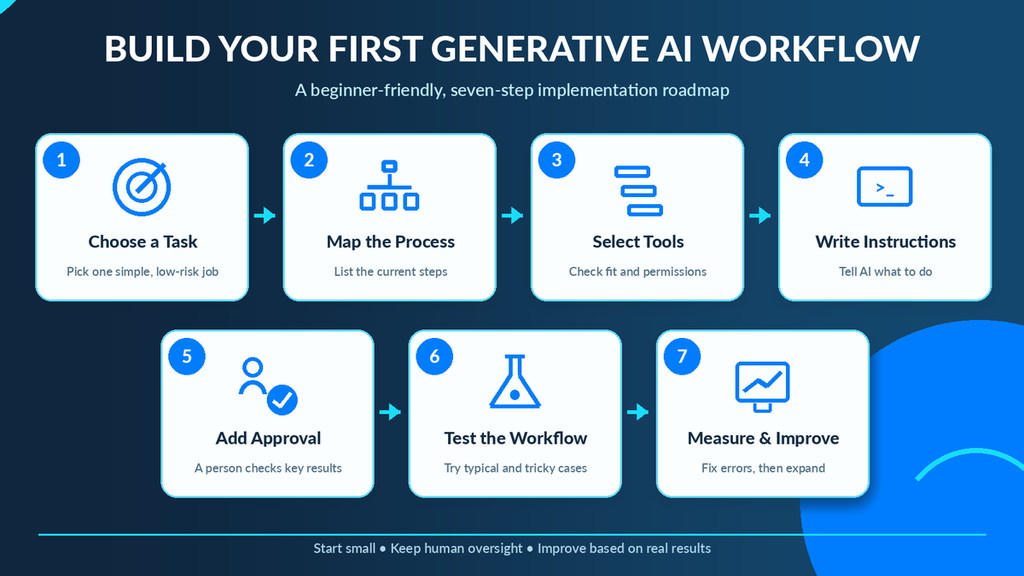
Step 1: Choose a Simple Task
Look for work your team performs regularly.
Good starting points include drafting internal emails, summarizing notes, or preparing content outlines.
Avoid starting with payroll, legal decisions, or access to sensitive customer data.
Step 2: Write Down the Current Process
List the steps employees follow today.
For example:
- Receive a customer question.
- Search the help documents.
- Draft an answer.
- Check the information.
- Send the reply.
This makes it easier to find where AI could help.
Step 3: Choose the Right Tools
Select tools based on your current systems and business needs.
Some automation platforms offer visual workflow builders, while others require code or technical support.
Before choosing a tool, check its pricing, data handling, integrations, and approval features.
Step 4: Give AI Clear Instructions
Explain exactly what the AI should do.
For example:
“Read the customer’s question and prepare a friendly reply using only the approved help information. If the answer is missing, ask for human assistance. Do not invent refund policies or delivery dates.”
Clear instructions help guide the output, but they do not guarantee accuracy.
Step 5: Add Human Approval
For your first workflow, have an employee check the AI output before it reaches customers or changes important data.
If introducing new tools changes employees’ daily work, plan the training and communication carefully. Our guide to automation change management explains how to help teams adapt.
Step 6: Test With Realistic Examples
Use a small set of approved test cases.
Try normal requests, incomplete information, confusing messages, and unusual situations.
Check whether the workflow responds correctly and safely.
Step 7: Monitor and Improve
Track how often the workflow works, how long tasks take, and how much human correction is needed.
Fix problems before using the system on a larger scale.
Starting small helps you learn what works without creating unnecessary business risk.
Benefits and Risks of Generative AI Automation
Generative AI can make many routine business processes easier, but the benefits depend on the task and how well the workflow is designed.
Potential Benefits
- Less repetitive work: AI can prepare drafts and summaries that employees would otherwise create manually.
- Faster first drafts: Teams may spend less time starting routine documents.
- More consistent processes: Approved prompts and workflow rules can help teams follow a shared method.
- Better access to information: Employees can search and summarize approved documents more easily.
- More time for complex work: Staff can focus on questions that need judgment and experience.
Risks to Understand
- Incorrect answers: AI can produce convincing information that is wrong.
- Privacy problems: Sensitive data may be exposed if tools are not set up correctly.
- Automation errors: An incorrect output can affect other systems if actions are not controlled.
- Overreliance: Employees may accept AI answers without checking them.
- Unexpected costs: Heavy use, integrations, and extra review time can increase costs.
To reduce these risks, use approved data, limit system permissions, test unusual cases, and keep human oversight where it matters.
How to Measure Generative AI Automation Success
A workflow is valuable only when it helps the business achieve a real goal.
Start by recording how the task works before automation. Then compare the results after a small trial.
| Metric | What to measure |
|---|---|
| Time per task | Whether work takes less time |
| Output accuracy | How often results are correct |
| Human corrections | How much editing employees must do |
| Workflow success rate | How often the process finishes correctly |
| Total cost | Software, usage, setup, and review costs |
For example, if AI produces email drafts quickly but employees must completely rewrite them, the workflow may provide little benefit.
Measure useful outcomes, not simply the number of tasks processed by AI.
Frequently Asked Questions
Can generative AI automate business workflows?
Yes. When connected to suitable software and data, generative AI can help draft content, summarize documents, and process information as part of a business workflow. Important actions may still need human approval.
Do I need coding skills to use generative AI automation?
Not always. Some tools offer visual workflow builders and ready-made integrations. More complex workflows may require programming or technical help.
What is the difference between generative AI and AI agents?
Generative AI creates or processes content. An AI agent is a system designed to pursue a goal using an AI model, tools, and instructions. Some agents can choose steps or call tools, but their actions still need suitable limits and oversight.
Final Thoughts
Generative AI automation helps businesses combine AI-generated content with organized workflows.
From customer support and marketing to meeting notes and reports, it can reduce repeated work when used carefully.
The best approach is to begin with a simple task, connect trusted information, check AI outputs, and measure the results.
You do not need to automate everything. Start with one useful workflow, make it reliable, and expand only when it delivers clear value.